Measure on the drawing, with real snaps
Distances, areas, angles and radii that lock onto the geometry, so you read the same numbers as the person who drew it.
Snaps that find the right point
As you move the cursor, TrattoCAD highlights the nearest endpoint, midpoint, centre or intersection. Click and the measurement starts exactly there.
- Endpoint, midpoint, centre and intersection
- Works with lines, arcs, circles and polylines
- Tolerance adapts to the zoom
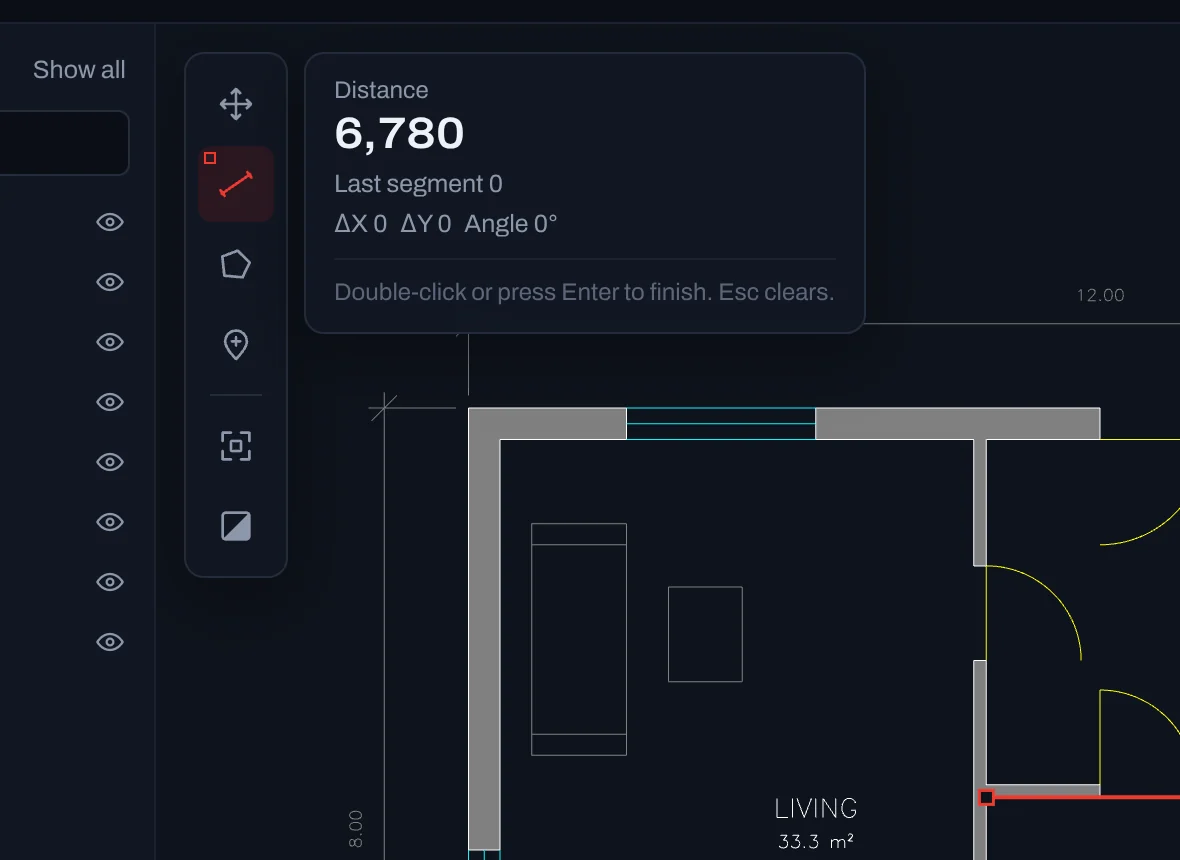
Distance, area and properties
Measure a chain of segments for a total length, close a shape for its area and perimeter, or click any object to read its own dimensions.
- Total and last segment, with angle
- Area and perimeter of any outline
- Length, radius, diameter and layer of objects
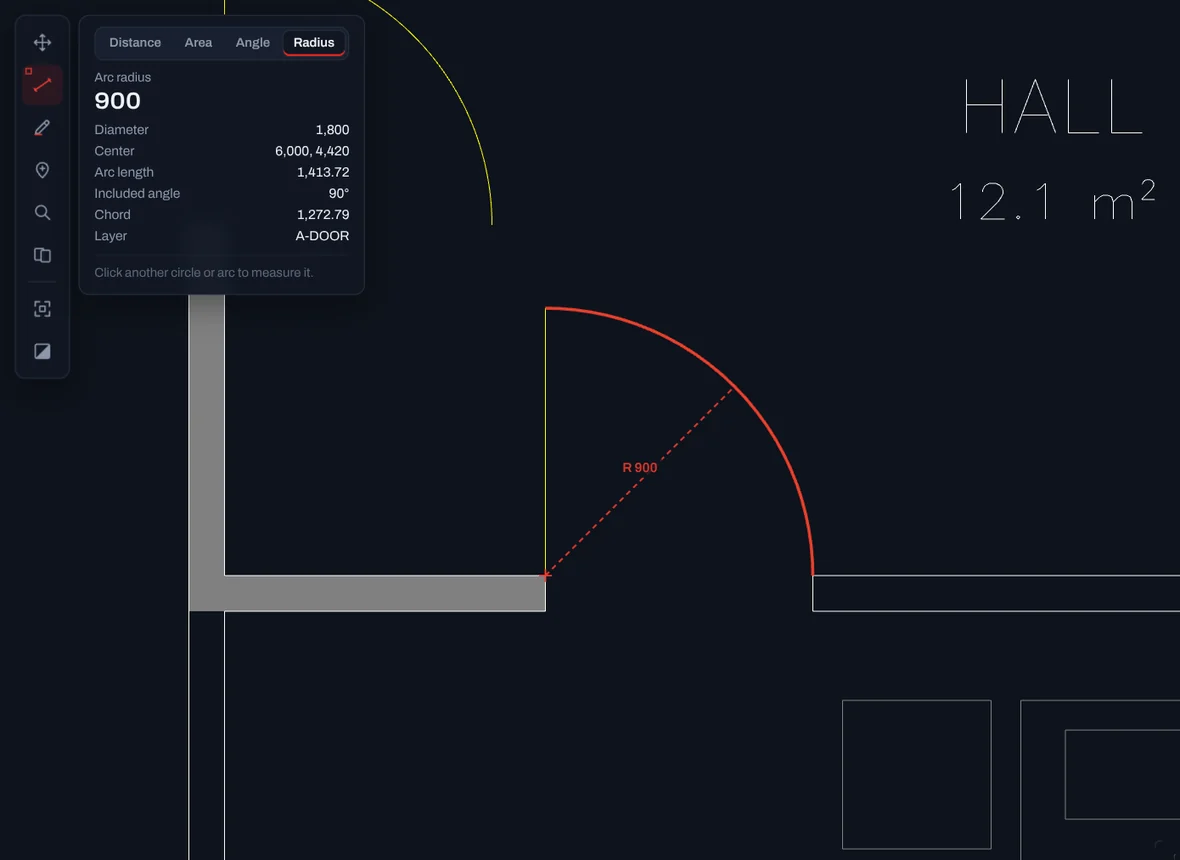
Angles, radii and arcs
Click three points for any angle, or point at a circle, an arc or the curved part of a polyline to read its radius, diameter, centre, arc length and included angle.
- Angle with its outside angle and supplement
- Radius and diameter of holes and fillets
- Arc length, chord and centre of door swings and curves
Keyboard shortcuts
| Key | Action |
|---|---|
| D | Measure distance |
| A | Measure area |
| G | Measure an angle |
| R | Measure a radius or an arc |
| Enter | Finish the measurement |
| Esc | Clear the measurement |
| Z | Fit the whole drawing |
Open your first drawing now.
Free, with no account and nothing to install. Drop a .DWG or .DXF and it is on screen in seconds.