Made for everyone who reads drawings
Whoever made the drawing, the people who need to read it rarely have CAD installed. This is how five kinds of teams use TrattoCAD.
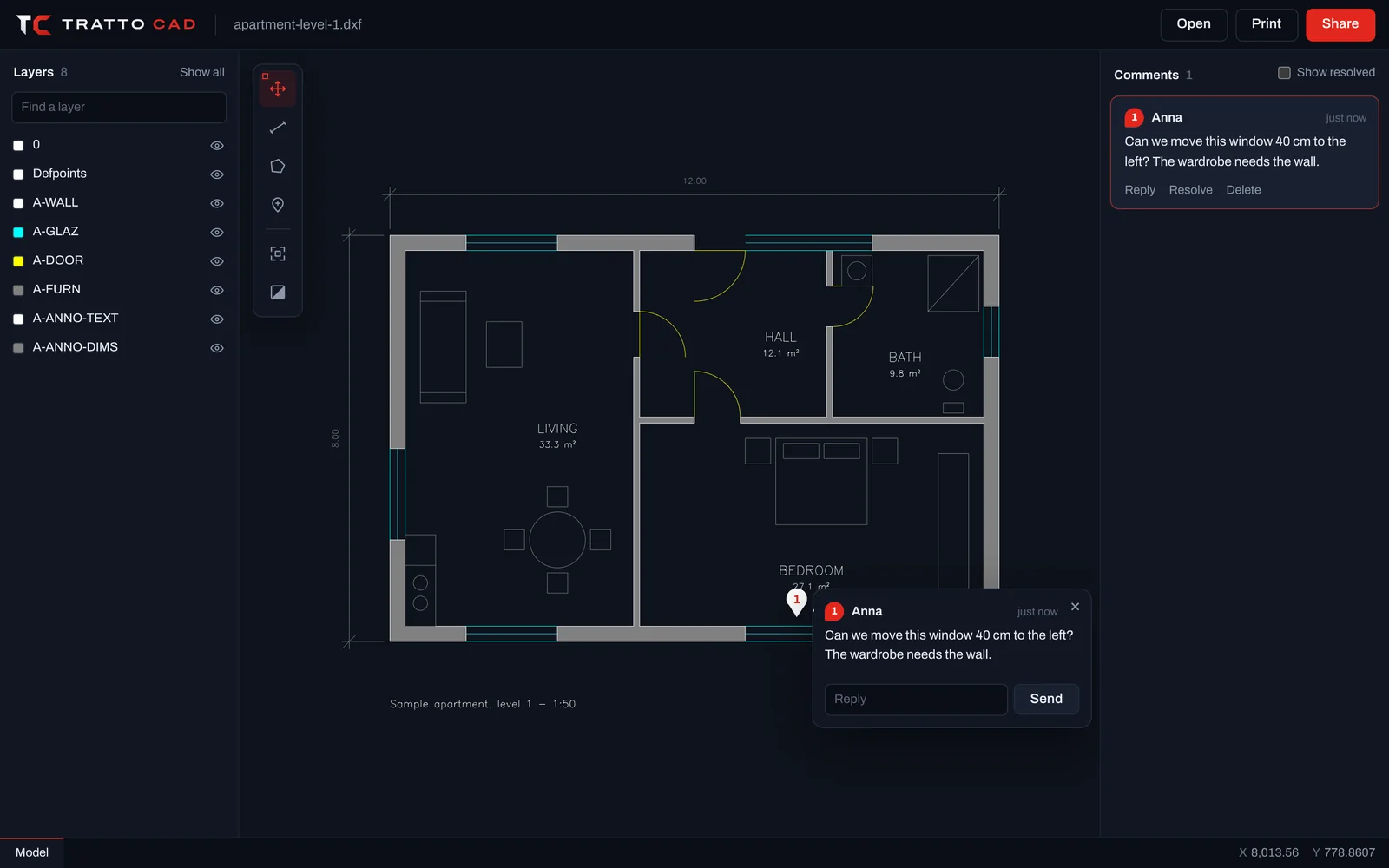
TrattoCAD for architects
Send plans to clients and consultants as a link, and collect their comments on the drawing instead of in long email threads.
Clients without CAD
Clients open your plans on their phone. No software, no account, no confusion about which file is the latest.
Comments on the plan
Each remark is pinned to the room or wall it is about, with replies and a tick when it is settled.
Prints to scale
Hand out a PDF at 1:50 or 1:100 on any sheet size, straight from the browser.
Layer by layer
Show furniture, hide services, switch between plans and sheets as they were set up.
TrattoCAD for engineers
Check dimensions, read details and mark up drawings from any computer, without waiting for a CAD licence.
Reliable measurements
Snaps to endpoints, midpoints, centres and intersections, with lengths, radii and areas.
Object properties
Click any entity to read its type, layer and geometry.
Every layout
Move between model space and each layout of the drawing.
Clear mark-ups
Pin questions and corrections exactly where they apply.
TrattoCAD on site
Bring the latest drawing to the site on any phone or tablet, measure on the spot and report problems right on the plan.
On any phone
Open the link on site. Pinch to zoom, tap to measure.
Report on the plan
Pin a note where the problem is, so the office sees exactly what you mean.
One link, latest drawing
Everyone opens the same drawing from the same link.
Fast on mobile data
Only what is on screen is sent, so drawings open quickly even with a weak signal.
TrattoCAD for MEP and HVAC
Find your way through crowded services drawings, layer by layer, and coordinate with the other trades on the drawing itself.
Isolate a system
Show only the ductwork, the pipes or the electrical layer with one click.
Check runs and clearances
Measure lengths along routes and distances between services.
Coordinate trades
Pin clashes and questions where they occur, and resolve them in a thread.
Big drawings, smooth
Dense drawings with many layers stay fluid while you pan and zoom.
TrattoCAD for students and teachers
Open coursework drawings on any computer, including school and library machines, and give feedback on the drawing.
Any computer
Nothing to install. Works on school computers, Chromebooks and tablets.
Feedback on the work
Teachers pin comments on the exact detail that needs work.
Learn to read drawings
Measure, inspect objects and explore layers and layouts.
Free
The viewer is free, with no account.
Open your first drawing now.
Free, with no account and nothing to install. Drop a .DWG or .DXF and it is on screen in seconds.