Pro · Not on sale yet
Move a piece. The drawing understands what you meant.
Edit by intent works on any .DWG, even one made only of lines, with no constraints. Move a wall and the drawing keeps what you meant: the walls joined to it follow, doors and windows move with it and the dimensions update.
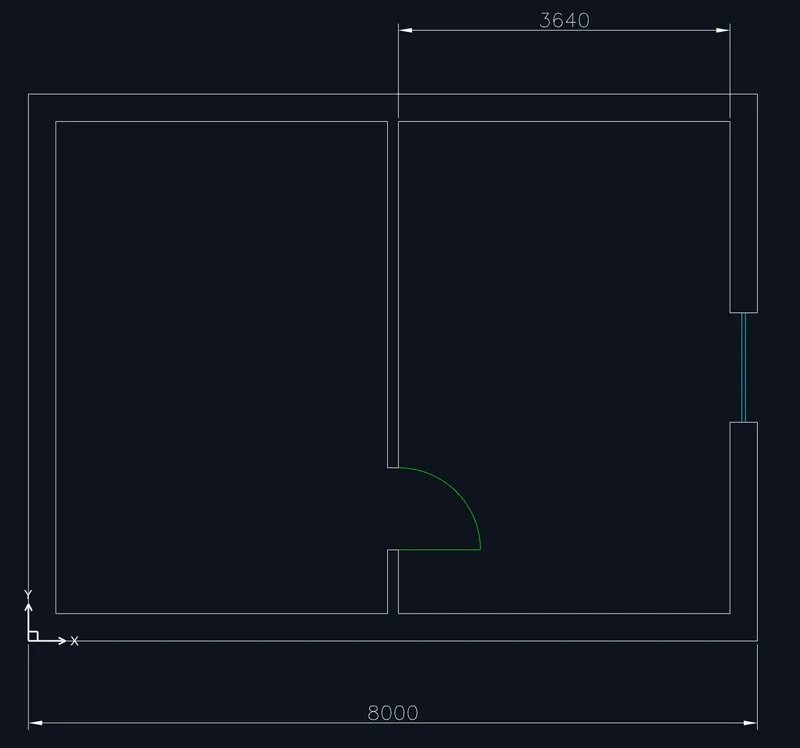

You move one thing. The rest keeps up.
The second line keeps the thickness
Move one face of a wall and its other face comes along, at the same distance.
Joined walls follow
Walls that meet the one you move get longer or shorter, and stay joined.
Doors and windows follow
Openings in the wall move with it and keep their size.
Dimensions update
The dimensions on the drawing show the new measurements.
Right angles stay right
What was square stays square, and what was parallel stays parallel.
Symmetry is kept
What was symmetric stays symmetric.
On when you want it
Turn Intent on in the status bar for the drawing you are editing. Turn it off and every command works exactly as before.
- Works with move, stretch and grips
- Undo brings back the drawing as it was
- The file stays a normal .DWG
Questions
Does it work on any .DWG?
Yes, on drawings made with any CAD program, including drawings made only of lines and arcs, with no constraints or special objects.
Do I have to set anything up?
No. Turn Intent on for the drawing and edit as usual: move, stretch or drag a grip.
What if I want the plain command?
Turn Intent off: every command works exactly as before. Undo also brings back the drawing as it was.
Is it part of Pro?
Yes. Edit by intent is part of Pro, which is not on sale yet. Leave your email on the pricing page and we will tell you when it opens.
Does the file change format?
No. The drawing is saved as a normal .DWG that any CAD program opens.
Open your first drawing now.
Free, with no account and nothing to install. Drop a .DWG or .DXF and it is on screen in seconds.